
iPhone · home-screen widget
Draw on each other’s
home screen.
Doodle together in real time. Your latest sketch sits on each other’s iPhone home screen — always one glance away. Built for two people, especially the kind who live a few time zones apart.
Free to download · iOS 17 or later · pair with one 6-letter code
What’s inside
Built for two people, not a network.
No followers, no feed, no algorithm. Just the two of you, a square canvas, and a widget that quietly updates itself.
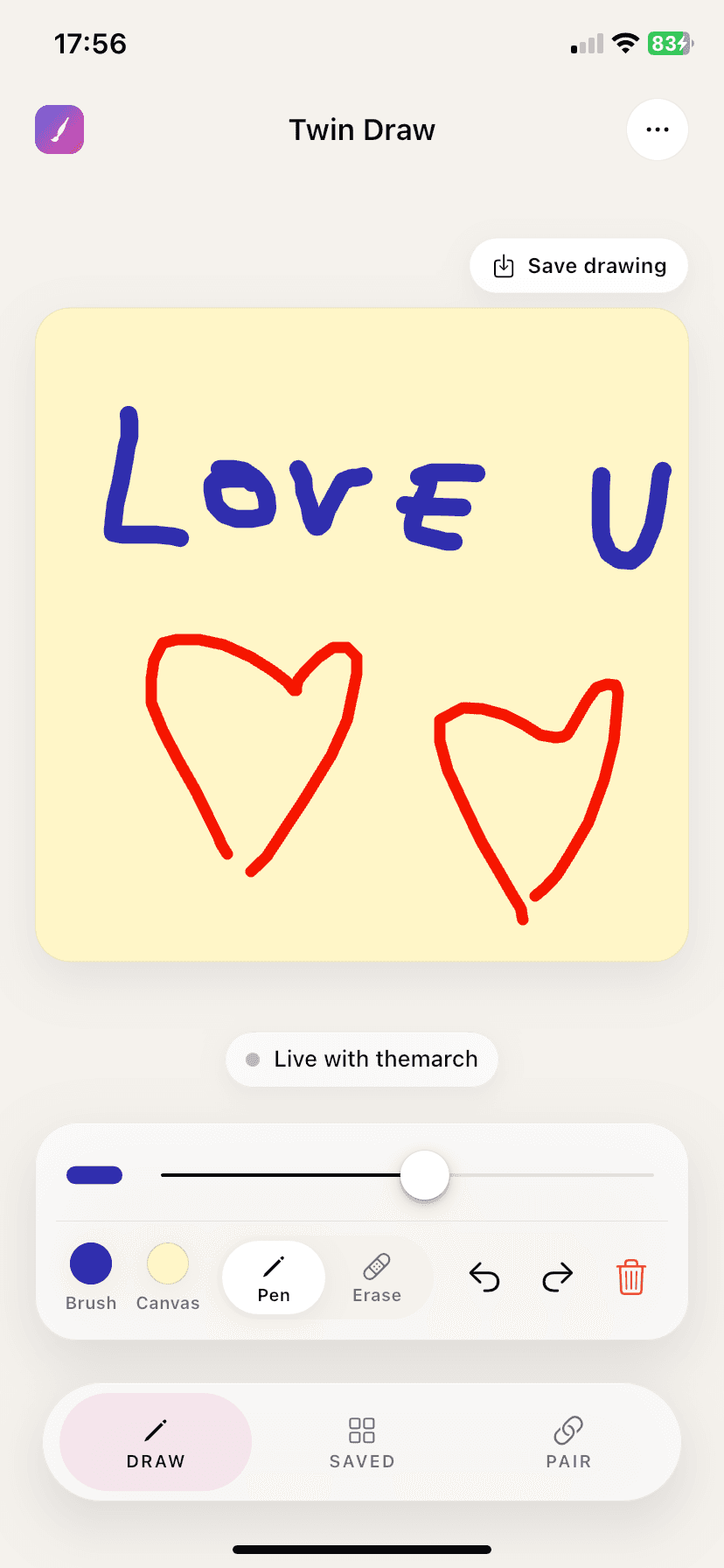
Live canvas
Strokes appear on both screens within a couple hundred milliseconds. No save button, no refresh.
One pair, one code
Share a 6-letter invite code. Your partner taps it in. That’s the whole onboarding.
Home-screen widget
Their latest doodle, pinned to your iOS home screen. Always one glance away.
Presence aware
See the moment they pick up the pen. A subtle pulse tells you they’re drawing right now.
Five widgets
Widgets for long distance, not just drawing.
The canvas is the reason people install Twin Draw. The other four widgets are the reason they keep it on the home screen: their time, your distance, how long it’s been, and how long until you close the gap.
Shared canvas
Their latest drawing, pinned to your home screen. It refreshes itself when they draw — you never open anything.
Partner’s time
Their local clock, with a quiet indicator when they’re in their sleep hours. Stop doing timezone arithmetic in your head.
Days together
How long you’ve been a thing, counted from the date you set.
Until we meet
A countdown to the next time you’re in the same place. The one number long distance actually runs on.
Distance
How far apart your two cities are. Picked from a list — no GPS, and the app never asks for location access.
In a long-distance relationship?
These four were built for exactly that.
See the long-distance setup
A quick tour
Four screens. That’s the whole app.
No notifications to manage, no settings to hunt through. Pair up, draw, save, glance. Done.
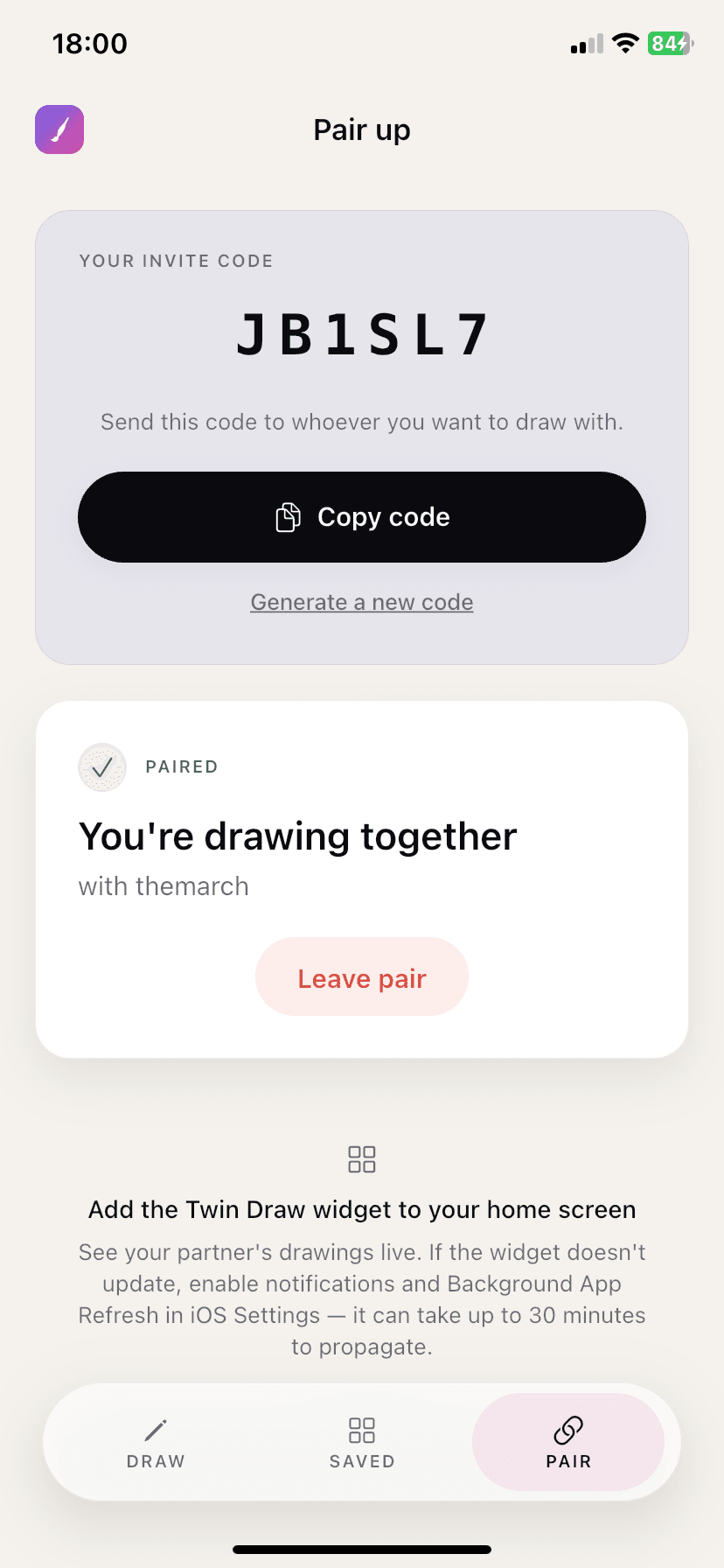
Pair up in seconds
Share a 6-letter code with the one person you want to draw with.
Draw together, live
Strokes appear on both screens within a couple hundred milliseconds.
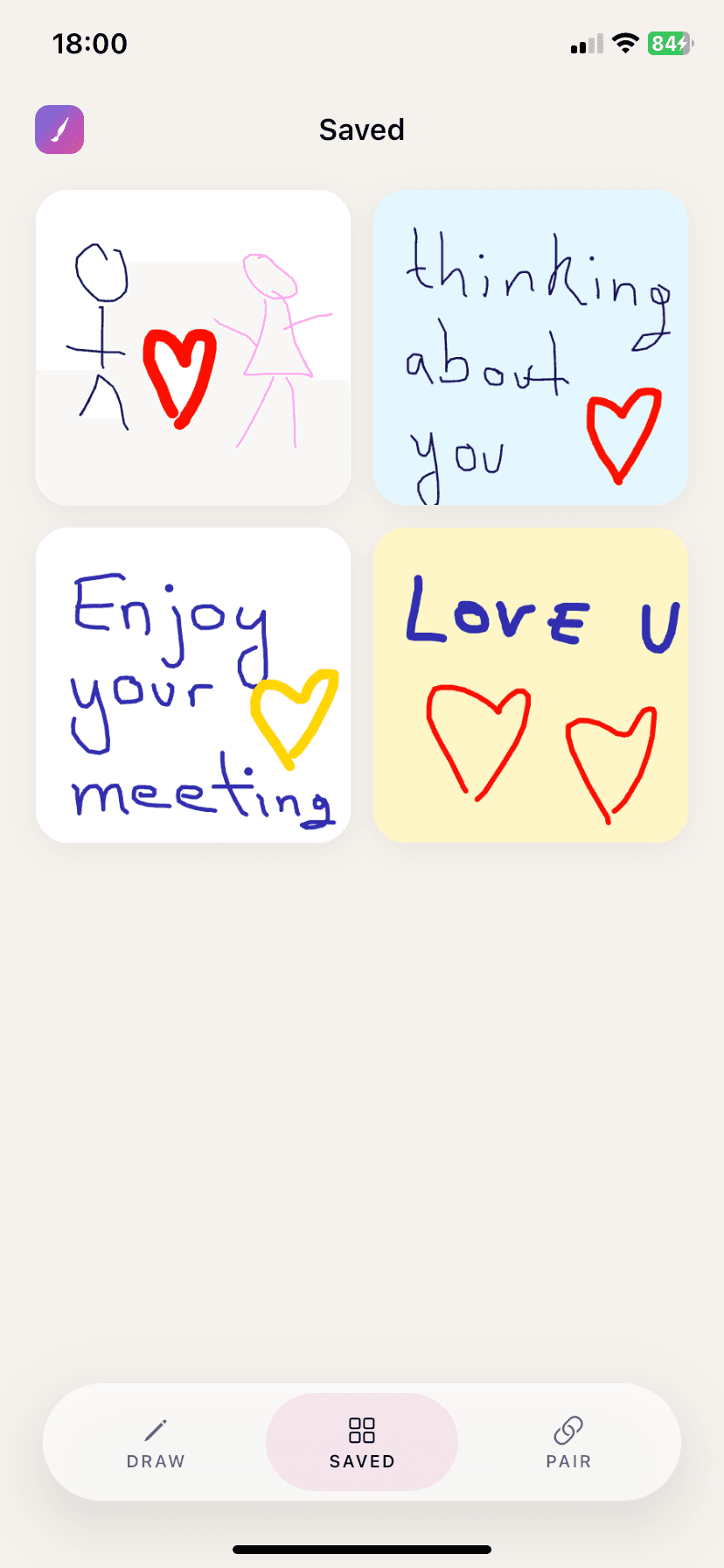
A shared sketchbook
Save the keepers. Browse them any time, on either side.
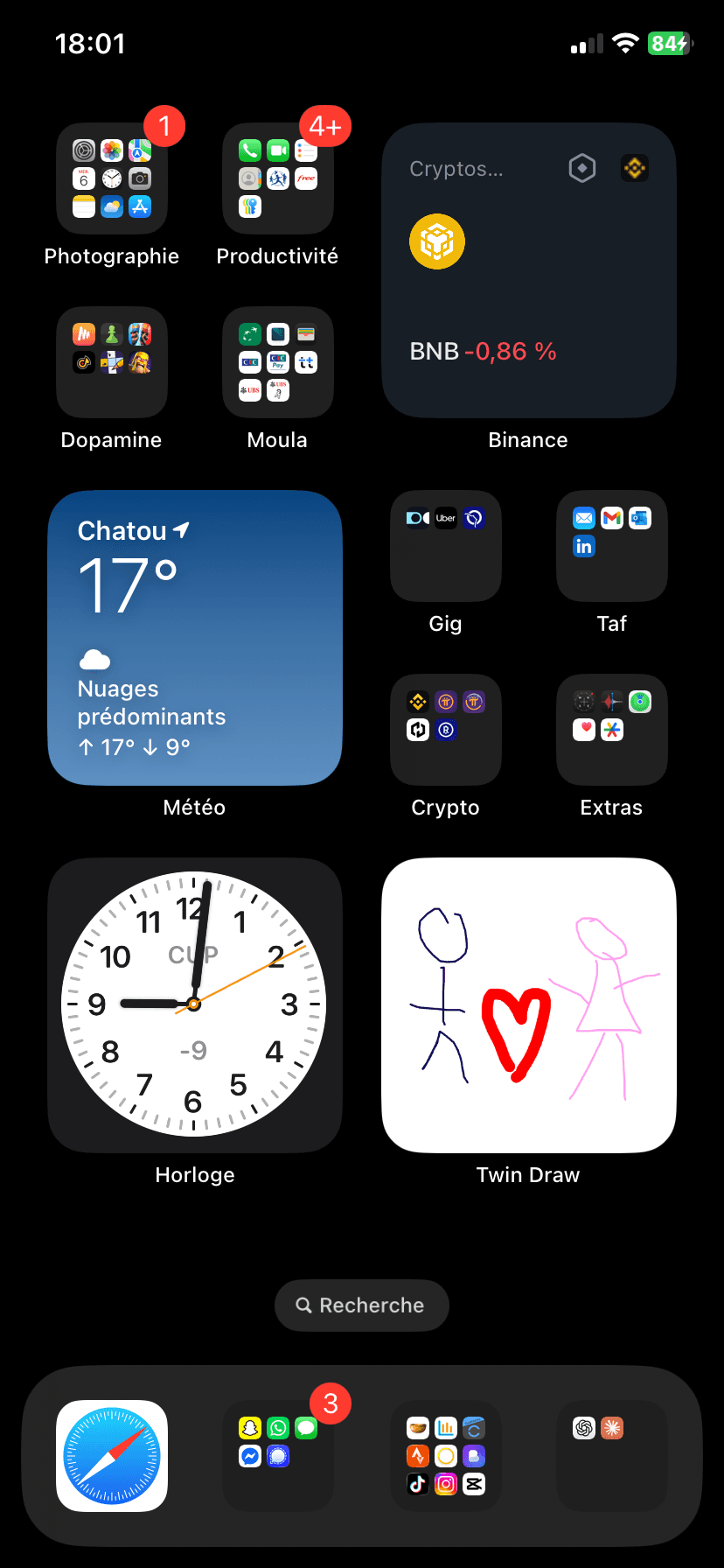
On your home screen
Their latest doodle, pinned next to your apps. One glance, every time.
Questions
The things people actually ask.
How do I draw on my partner's home screen?
Both of you install Twin Draw on an iPhone and pair once with a 6-letter code. Then add the Twin Draw widget to your home screen. Whatever you draw on the shared canvas appears on their widget, and whatever they draw appears on yours — the widget refreshes itself, so neither of you has to open the app to see it.
Is Twin Draw free?
Yes. Twin Draw is free to download, and drawing together, saving your drawings and browsing your shared sketchbook are all free.
What language is the app in?
The app's interface is in English only for now, including the names of the widgets in the iOS widget gallery. This page is available in several languages, but the app itself is not yet translated.
Does Twin Draw work on Android?
Not yet. Twin Draw is currently an iPhone app and requires iOS 17 or later. Both people in a pair need an iPhone.
Can I use Twin Draw with more than one person?
No, and that's deliberate. An account pairs with exactly one other account. There is no feed, no followers and no group canvas — Twin Draw is built for two people.
How fast do drawings appear on the other person's screen?
Strokes show up on the other person's canvas within a couple hundred milliseconds while you are both in the app. There is no save or send button. The home-screen widget updates separately, as soon as iOS allows it to refresh.
Which widgets does Twin Draw include?
Five. The shared canvas widget shows your partner's latest drawing. Partner's time shows their local clock and whether they are in their sleep hours. Days together counts from the date you set. Until we meet counts down to your next reunion. Distance shows how far apart your two cities are.
Is Twin Draw good for a long-distance relationship?
That's who it was built for. Alongside the shared canvas, four of the five widgets exist specifically for long distance: your partner's local time with a sleep indicator, the days you've been together, a countdown to your next reunion, and the distance between your two cities.
Does Twin Draw track my location?
No. The distance widget works from a city you pick yourself out of a fixed list. Twin Draw never requests location access and does not collect GPS or precise location data.
What data does Twin Draw collect?
Your email for sign-in, your drawings, an optional display name, and the details you choose to fill in — your city, time zone, sleep hours and shared dates. There is no tracking, no third-party analytics and no advertising in the app. Data is stored on Google Firebase in the EU region.
How do I delete my account and my drawings?
Open the menu in the app and tap Delete account. That permanently erases your account, your drawings and your pair link. It cannot be undone.
What happens if my partner draws while my phone is off?
Nothing is lost. The drawing is waiting on the shared canvas, and your widget shows it the next time it refreshes.
Are there streaks or reminders nagging us to draw?
No. Twin Draw has no streaks and sends no guilt-trip reminders. If you don't draw for a month, nothing is taken away and your saved drawings stay exactly where they are.
Only what the canvas needs.
Your email, your drawings, and the few details you set up together. No tracking, no analytics and no ads in the app. Stored on Google Firebase in the EU. Never sold, never shared beyond your paired partner — that’s the whole point. Delete your account and everything tied to it any time, from inside the app.